Getting Started with Farmative
Updated
Farmative is the online companion to your Fork Farms farm. Your apps live on one page, My Apps, at farmative.forkfarms.com. Which apps you can open depends on your organization and the role your Admin gives you.
Your apps
| App | What it does |
|---|---|
| Store | Order growing supplies and equipment from the Fork Farms Store. Its second link, Order history & account, shows your past orders. |
| Community | Connect with other Fork Farms growers, share what works and learn from each other. |
| Education Hub | K-12 NGSS curriculum, 20-minute activities and badging programs. |
| Grow Center | Flex Farming 101, Grow Science videos and growing resources. |
| Help Center | How-to guides for your farm and for Farmative. |
Store, Community, Education Hub and Grow Center open in a new tab. Some organizations also see Recipes or Farm Management.
How to get access
Farmative comes with Fork Farms technology. When your organization becomes a Fork Farms partner, the people your Fork Farms team names on your order receive an invitation. From there, your organization's Admin can invite the rest of your team.
There are two ways in:
An invitation from your Admin (recommended)
This is the best way to get full access. Your Admin invites you from Users in Farmative. You receive an email from Farmative (Fork Farms), sent from no-reply@farmative.forkfarms.com, whose subject names who invited you and where, for example "Maria Alvarez invited you to Lincoln Elementary on Farmative". Press Sign in to Farmative in the email.
Admins: see How to Invite People to Farmative for each step and how to choose a role.
The invitation is not a one-time link. You can also go straight to farmative.forkfarms.com and sign in with the address it was sent to. Invited people get the apps that come with the role their Admin chose.
Signing up on your own
You can also sign in at farmative.forkfarms.com without an invitation. An account made this way opens the Store and the Help Center only. Community, Education Hub and Grow Center show "Included with Fork Farms technology" until your account is connected to your organization. To get full access, ask your Admin to invite you (see below).
Don't know who your Admin is?
If you have Fork Farms technology but aren't sure who your organization's Farmative Admin is, reach out to us and we'll help get you connected:
- Chat: inside Farmative, press Help at the top of the page, then Contact support
- Email: support@forkfarms.com
- Call: (877) 886-7736
Please include:
- Your name
- Your email address
- Your organization name
- Your organization email
- Your title
We'll follow up within one business day with your access details.
How to sign in
Go to farmative.forkfarms.com and choose Sign in with Google, Sign in with Microsoft, your email (Farmative emails you a 6-digit code), or Sign in with a passkey. There's no password to create.
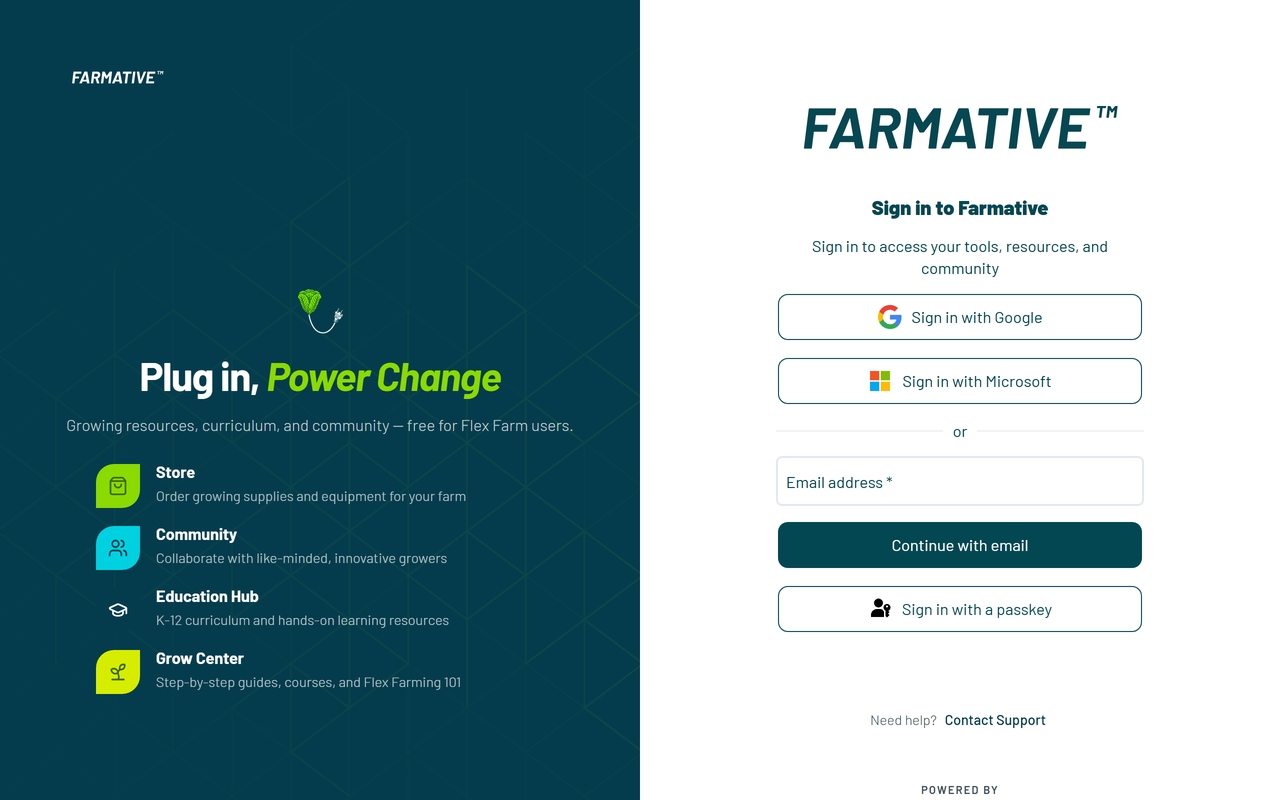
Tip: If a code doesn't arrive, check your spam folder and press Send again. For every sign-in option and fix, see How to Log In to Farmative.
The first time you sign in
Farmative opens Let's set up your profile. Type your first and last name. If you were invited, your organization is already filled in. Your job title is optional. Press Get growing. A short welcome tour shows you around.
My Apps
My Apps shows your name and organization, your Fork Farms team and your app cards. Press Launch on a card to open that app.
At the top of every page:
- Users: Admins invite and manage their team here. Other roles see it greyed out.
- Help: guides and Contact support.
- Your picture or initials: Settings (your Profile, and Users for Admins) and Sign out.
App card labels
- "Launch": the app is ready. Press it to open.
- "Included with Fork Farms technology": the app comes with Fork Farms technology, and your account is not connected to an organization yet. If you already have Fork Farms technology, see "I Have Fork Farms Technology but Can't Access All Apps" below. If you're not a partner yet, visit forkfarms.com/start-now.
- "Ask your admin to enable Store access" or "Ask your admin to enable Community access": your organization has the app, but your role doesn't include it. Ask your Admin to change your role.
- "Browsing only" on the Store card: you can look around the Store, but your role doesn't include placing orders. The card names who can change that.
Your Fork Farms team
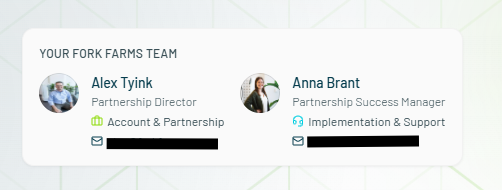
Partner accounts see a Your Fork Farms team card on My Apps with your Partnership Director and Partnership Success Manager. Press either one's email address to reach out directly.
I Have Fork Farms Technology but Can't Access All Apps
If My Apps shows "No organization linked" under your name, or locked apps and no team card, your account isn't connected to your organization yet. This is common if you signed up on your own rather than through an Admin's invitation.
To get full access:
- Ask your Admin to invite you from Users, using the email address you sign in with. Your account is then linked to your organization with the right access.
- Not sure who your Admin is? Press Chat With Us on My Apps, or contact Fork Farms Support with your name, email, organization name, organization email and title. We'll follow up within one business day.
- Chat: inside Farmative, press Help, then Contact support
- Email: support@forkfarms.com
- Call: (877) 886-7736
Need help?
| Resource | How to reach it |
|---|---|
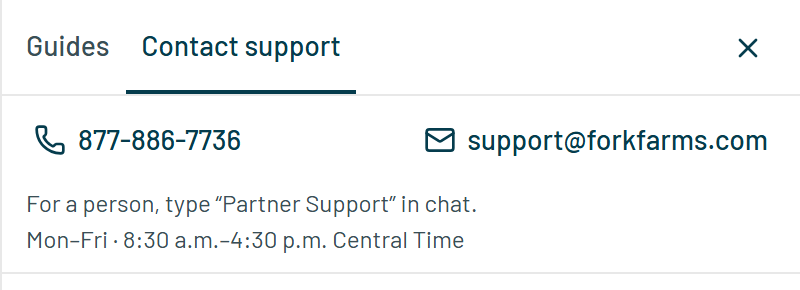
| Chat | Inside Farmative, press Help at the top of the page, then Contact support. Monday to Friday, 8:30 a.m. to 4:30 p.m. Central. |
| Email Support | support@forkfarms.com |
| Call Support | (877) 886-7736 |
| Knowledge Base | forkfarms.com/knowledge |
| Your Fork Farms Team | The team card on My Apps. |