How to Log In to Farmative
Updated
Go to farmative.forkfarms.com. The page says "Sign in to Farmative" and gives you four ways in: Google, Microsoft, your email, or a passkey. There's no password to create. Use whichever suits you.
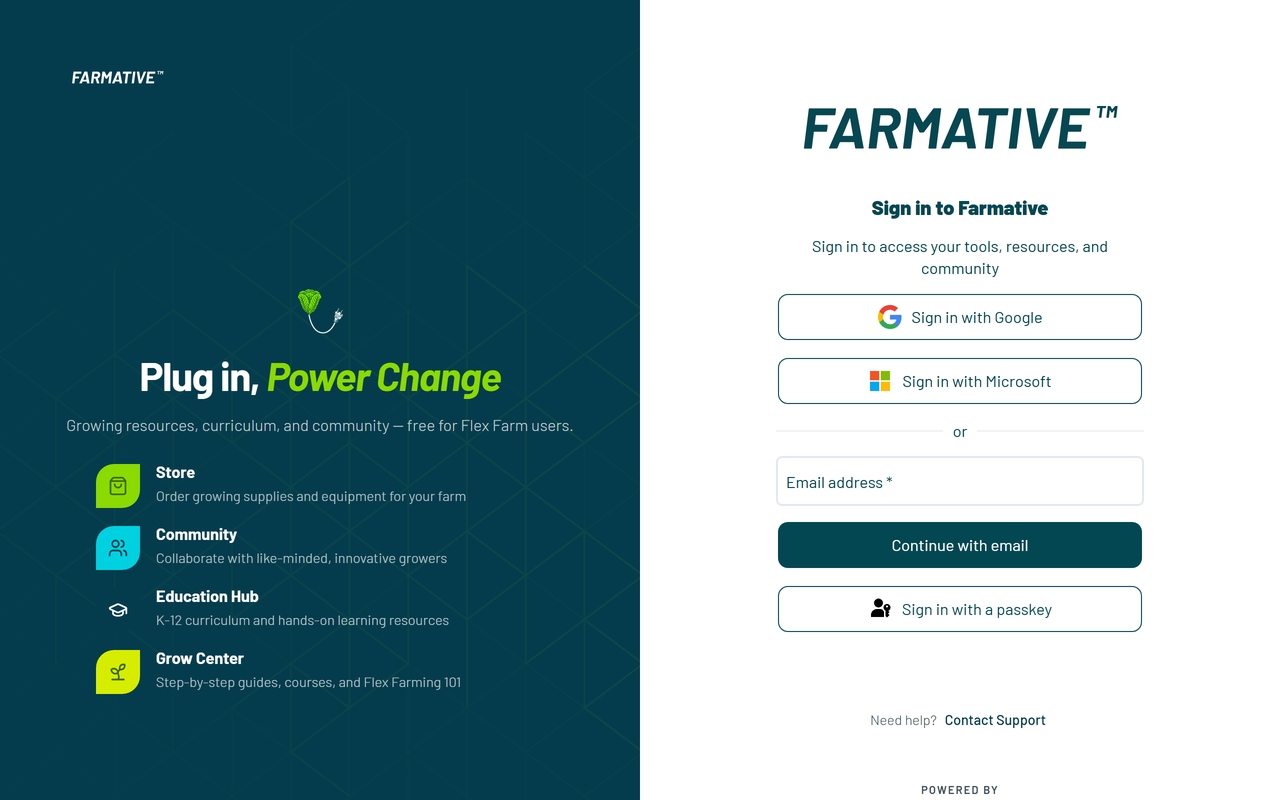
Sign in with Google
- Press Sign in with Google.
- Choose your Google account.
No code is sent. If your school or work email is a Google account, this is the shortest way in.
If you are already signed in to Google in the browser, a small Google prompt may offer to continue as you. That does the same thing.
Sign in with Microsoft
- Press Sign in with Microsoft.
- Choose your Microsoft account. A work, school or personal account can be used.
The first time, Farmative emails one code to that address and says: "One-time check. Enter the code to connect Microsoft to your Farmative account. You will not be asked again." Type the code. After that, Microsoft sign-in needs no code.
If Microsoft says an administrator has to approve the app, go back and sign in with your email instead.
Sign in with your email
- Type the email address your account uses. If someone invited you, it is the address the invitation was sent to.
- Press Continue with email.
- Farmative emails you a 6-digit code. The page shows the address it sent the code to, partly hidden.
- Type the code.
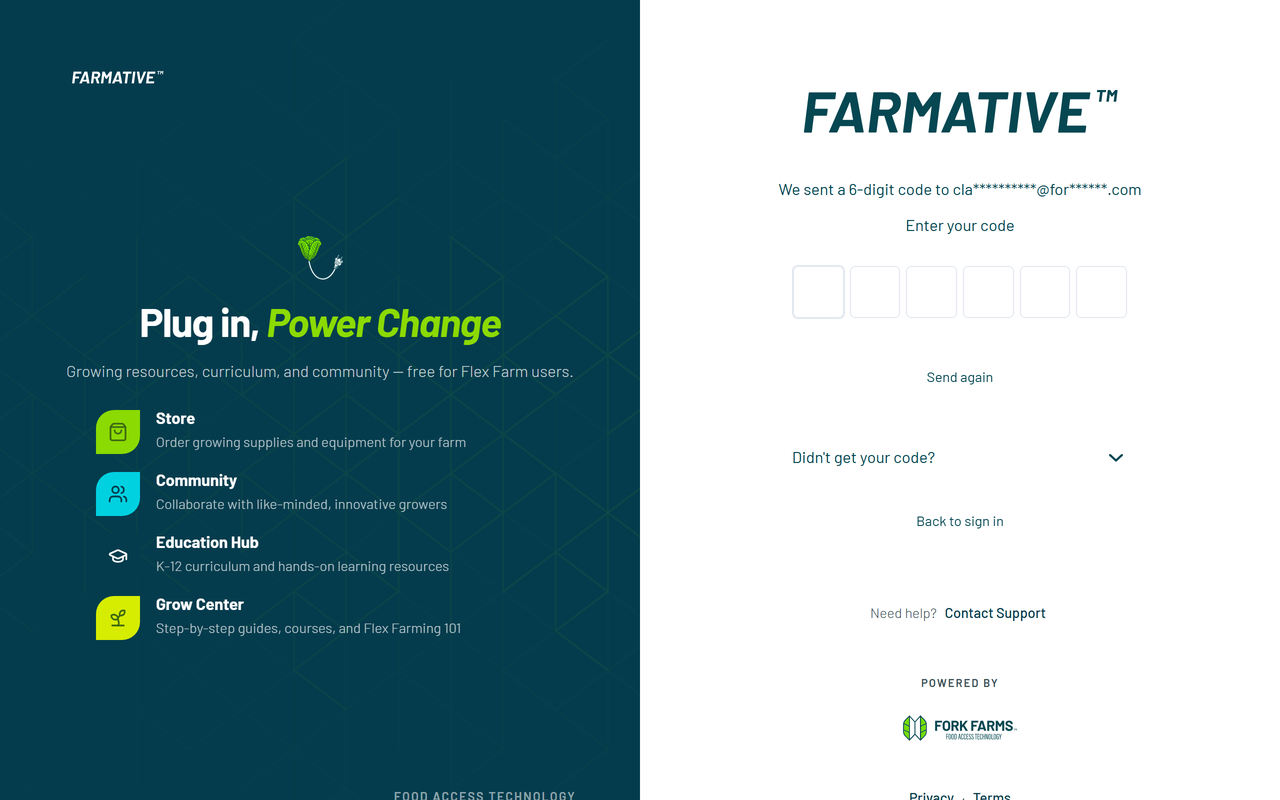
The code comes from no-reply@farmative.forkfarms.com. Typed the wrong address? Press Back to sign in.
Sign in with a passkey
A passkey lets you sign in with your fingerprint, your face or your device's PIN. No code is sent and you do not type your email.
- Press Sign in with a passkey.
- Your device shows the passkeys it holds for forkfarms.com. Choose yours.
Get a passkey
You are offered one after you sign in with an emailed code, on a device that can make a passkey. The screen says "Sign in faster next time" and has three buttons:
- Add a passkey makes one on this device.
- Not now skips it. You are asked again after your next emailed-code sign-in.
- Don't ask again stops the offer for your account, on every device.
You are signed in whichever one you press. Add a passkey only on a device that is yours, not on a shared computer.
No passkey on this device yet
If you press Sign in with a passkey on a device that has none, or you close the device's prompt, the page says "No passkey on this device yet". Press Back to sign in and use Google, Microsoft or your email.
If the code does not arrive
Work through these in order.
- Wait a minute, then look in spam or junk. The sender is no-reply@farmative.forkfarms.com.
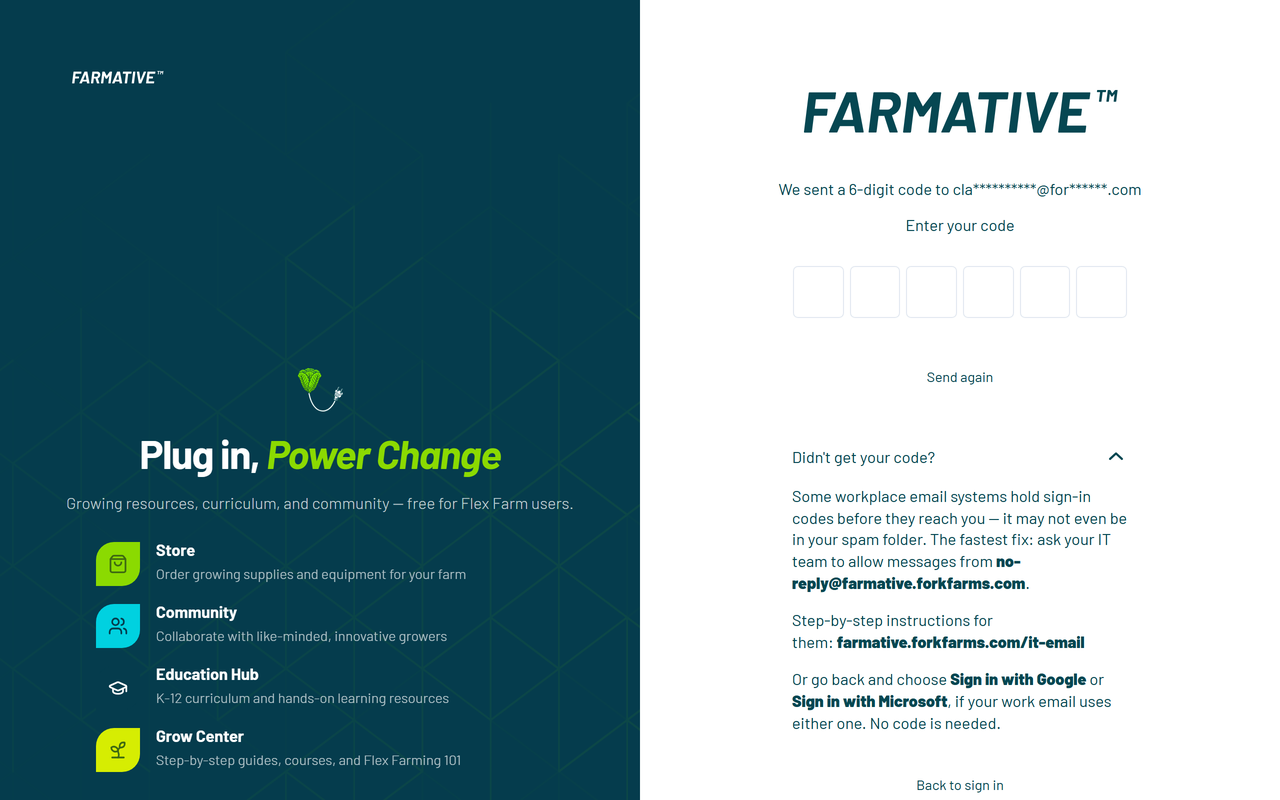
- Press Send again. It is under "Didn't get your code?" on the code screen. If you ask too often the page says "Too many attempts. Please wait a few minutes." Wait, then ask once more.
- Press Back to sign in and choose Sign in with Google or Sign in with Microsoft if your work email uses either one. Neither needs a code to come through first, except Microsoft's one check the very first time (see above).
- Ask your IT team to allow the sender. Some school and workplace email systems hold sign-in codes before they reach you, and the code may not be in your spam folder either. Ask IT to allow messages from no-reply@farmative.forkfarms.com. The steps for them are at farmative.forkfarms.com/it-email.
- Contact Support. See "Still need help?" below.
Once you are in on your own device, add a passkey. You will not need a code on that device again.
Other messages you may see
| The page says | What to do |
|---|---|
| "That code didn't match. Please try again." | Type the newest code again. If you pressed Send again, only the latest code works. Codes have 6 digits. |
| "Too many attempts. Request a new code and try again." | Press Send again and use the new code. |
| Your code has expired | Press Send again and type the new code straight away. |
| "We couldn't sign you in" with "Check the email address, or ask your administrator for an invite." | Check the spelling. If it is right, ask an Admin at your organization to invite you. |
| "This account is disabled. Contact your administrator." | Ask an Admin at your organization. |
| "The sign-in form didn't load" | This is usually a network issue or a browser extension. Turn off ad blockers or privacy extensions for this site, try a private window, check your connection, and reload the page. On a school or work network, ask IT about firewall rules. |
The first time you sign in
Farmative asks for your first and last name. Your job title is optional. Press Get growing. See Getting Started with Farmative for what comes next.
I'm signed in but don't see the apps I expect
Your account may not be connected to your organization yet. See the "I Have Fork Farms Technology but Can't Access All Apps" section in Getting Started with Farmative for steps to get connected.
I don't have a Farmative account yet
Go to farmative.forkfarms.com and sign in any of the ways above. For full details on account setup, see Getting Started with Farmative.
After you sign in
You stay signed in on that browser for 30 days. To sign out, press your picture or initials at the top of the page and choose Sign out. On a shared computer, always sign out when you are done.
Your email is how you sign in. To change it, contact Support.
Still need help?
Contact Fork Farms Support:
- Chat: inside Farmative, press Help at the top of the page, then Contact support
- Email: support@forkfarms.com
- Call: (877) 886-7736